A shallow desk can work surprisingly well for remote work, but only if the setup stops fighting the depth of the surface. The usual problem is not that the desk is unusably small. It is that the screen sits too close, cables spill into the work zone, and every accessory competes for the same narrow strip of space.
The goal with a shallow desk is not to cram the full dream setup into a smaller footprint. It is to make smarter use of vertical space, cleaner cable paths, and fewer but more useful objects on the desktop.
This guide focuses on practical fixes for desks that feel too shallow for comfortable daily work, especially in bedrooms, corners, or small apartment work areas.
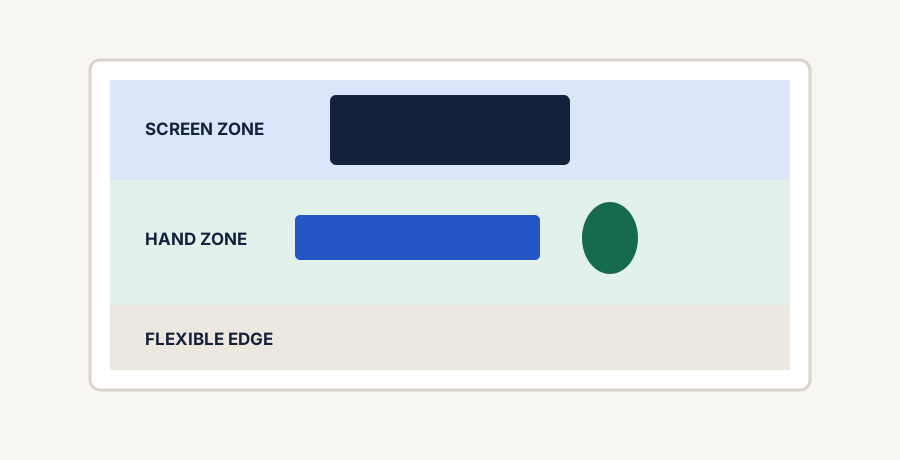
Protect the hand zone first, then push screens and permanent equipment into a deliberate rear zone.The real constraints
Why shallow desks become annoying fast
A shallow desk usually creates the same set of problems over and over again. Fix those first, and the space often becomes much more usable without major furniture changes.
Screen too close to your face
If the display sits on a bulky stock stand, the usable depth disappears quickly and your viewing distance gets cramped.
No room for keyboard, mouse, and notes
The front edge becomes overloaded when every input device has to live in the same narrow strip.
Cables eat visual space
Visible power and display cables make a shallow desk feel even busier because there is nowhere for the mess to hide.
The wrong accessories feel oversized
Gear that works on a deeper desk can feel clumsy and distracting when the footprint is tighter.
The three best upgrades for a shallow desk
1. Raise the screen
A monitor arm or laptop stand gets the screen off the surface and gives back the most valuable part of the desk: the space directly in front of you.
2. Define the work zone
A desk mat or clearly bounded keyboard-and-mouse area makes a narrow desk feel more organized and less visually noisy.
3. Simplify cable paths
On a shallow desk, even a small cable mess feels large. Routing cables behind or under the desk has a bigger payoff than most people expect.
The fastest setup wins first
Push the screen as far back as the desk safely allows.
Remove anything from the main surface that is not used every day.
Keep only one writing tool, one notebook, and the active input devices on the desk.
Route charging and display cables away from the front half of the work zone.
Use a laptop stand or monitor arm before adding more desktop organizers.
Best next categories
The most useful next pages for shallow-desk setups
If the desk still feels cramped after basic cleanup, these are the categories most likely to improve it without wasting space.
The best next read if most of the visual stress comes from cords and charging clutter.
What to avoid on a shallow desk
Do not add large desktop shelves unless they genuinely improve vertical storage without pushing the screen too far forward.
Do not let decorative accessories eat the same space your keyboard and mouse need.
Do not treat cable cleanup as optional. On a shallow desk it changes the whole feel of the setup.
Do not buy heavy premium gear just because it looks impressive in bigger setups online.
Final takeaway
A shallow desk works best when the screen is raised, the front edge stays clear, and the setup is defined by useful objects instead of visible clutter. The smartest upgrades are usually the ones that give the desk depth back, even if the furniture itself never gets bigger.
Some links on this page may be affiliate links. See the affiliate disclosure and use the contact page for corrections or business inquiries.
Sources and verification
Primary references
Authoritative workstation guidance supporting component placement and available work-surface planning. These are non-affiliate references; current product details should still be checked before purchase.