Single vs Dual Monitor Arm: Dual Stand vs Two Singles for a Small Desk
A monitor arm can reclaim space on a small desk, but “single vs dual” can mean two different decisions: one screen versus two, or two independent single arms versus one dual-monitor mount. This guide covers both.
For most remote workers, the better choice depends on how many screens genuinely support the work, how independently they need to move, and whether the desk has enough edge access, depth, and strength for the mounting plan.
This guide focuses on real remote-work desks, especially smaller setups where monitor depth, cable mess, and neck movement matter more than building a dramatic multi-screen setup.
Quick answer
Is one dual monitor arm or two single arms better?
Choose one dual monitor arm when both screens work as a coordinated pair and the desk has one suitable mounting point. Choose two single arms when each screen needs independent height, depth, or angle adjustment, or when the monitors differ in size. Two singles require two safe mount locations and two cable paths; a dual arm requires one base that can support the combined load and reach the intended screen positions.
If you are choosing for one display, start with the researched single-arm options only after confirming the fit checks below.
Compare the single-arm options after the fit check
If one display is the setup you are solving for, compare the researched single-monitor options after confirming monitor weight, VESA pattern, desk edge, and rear clearance. This keeps the product decision aligned with the desk rather than adding hardware for a second screen you do not use.
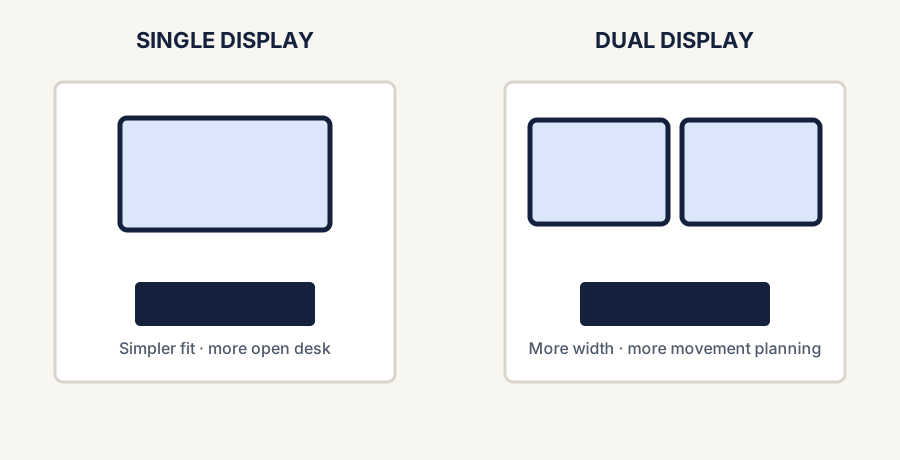
A single display preserves more open desk area; dual displays demand more width and movement planning.
The fastest difference
Comparison and planning details for Single vs Dual Monitor Arm for a Small Desk
Arm type
Best for
Main tradeoff
Single monitor arm
One main display and cleaner desk depth
Less useful if you already depend on two monitors
Dual monitor arm
Stable dual-screen workflows on a limited desk
More complex layout, weight, and cable routing
One dual monitor arm vs two single arms
If you already know that you need two displays, the real comparison is often one dual-monitor mount versus two independent single-monitor arms. Neither layout is automatically better or cheaper: the right answer depends on mounting space, monitor size and weight, and how independently the screens need to move.
One dual monitor arm compared with two single monitor arms
Two-screen setup
Best fit
Small-desk tradeoff
Check before buying
One dual monitor arm
You want one mounting point and a coordinated side-by-side layout
Both screens share one base, so the combined display load and arm geometry matter
Combined and per-screen limits, VESA pattern, desk thickness, rear clearance, and whether both screens can reach the intended position
Two single monitor arms
You want independent placement, use different monitor sizes, or plan to upgrade in stages
Two clamps use more rear-edge space and create two cable paths
Each arm's display limits, two safe clamp locations, wall clearance, and enough cable slack for both movement ranges
Different monitors need different planning
Can two single monitor arms work better for different-size monitors?
Often, yes. Two single arms can make it easier to set different height, depth, and angle positions when the displays are different sizes, weights, or shapes. That flexibility only helps if each arm supports its own monitor and the desk has two clear, safe mounting locations. If either clamp position is blocked or the monitors will stay aligned side by side, one dual arm may be the simpler layout.
The mounting-point test
Two single monitor arms or one dual arm: start with the rear edge
If the desk has only one clear, manufacturer-compatible clamp or grommet location, begin by evaluating a dual arm with a base rated for both displays. If it has two safe, well-spaced mounting locations, two singles keep each screen's position independent. Do not count a spot that is blocked underneath by a frame, rail, drawer, or cable tray.
This check is useful because it eliminates layouts that look flexible on paper but cannot be mounted safely. Afterward, compare monitor weight, VESA pattern, rear clearance, and the movement range each screen needs.
Common comparison question
Is a dual monitor stand better than two single monitor stands?
A dual monitor stand can be the better fit when two screens will stay in a coordinated side-by-side layout and the desk offers one safe mounting point for their combined load. Two single monitor arms are more flexible when the screens need different height, depth, or angle settings, but they need two safe mounting locations and separate cable paths.
Before choosing either option, check each monitor's current weight and VESA pattern, the arm manufacturer's limits, desk thickness and edge access, rear clearance, and the cable slack required through the full adjustment range.
Cost-effective means fit first
Which monitor-arm setup is most cost-effective?
For one display, buying one well-matched single arm is usually the most direct path because you are not paying for unused second-screen hardware. For two displays, compare the total setup instead of the lowest headline price: arms that cannot support both monitors, fit the desktop, or reach the intended layout are not a bargain.
Starting with one monitor? A single arm keeps the purchase aligned with the setup you use now.
Adding a second monitor later? A second matching single arm can spread the decision over time, provided the desk has room for another safe mounting point.
Starting with two monitors and limited rear-edge access? A dual mount may simplify the attachment plan, but only after its combined load and positioning range are verified.
Already own usable arms? Keeping compatible hardware is often more cost-effective than replacing it for a more symmetrical look.
Six checks before choosing either layout
Count the screens used every day. Do not build around a second monitor that rarely contributes to the workflow.
Check every monitor's weight, size, and VESA pattern. Compare those values with the arm manufacturer's current limits rather than relying on screen size alone.
Inspect the desktop. Confirm thickness, material, rear-edge access, under-desk obstructions, and whether the manufacturer permits the intended clamp or grommet mount.
Measure the whole movement envelope. Include wall clearance, screen width, arm joints, and the space needed to rotate or reposition a display.
Plan around the primary monitor. Keep the main screen directly in front; OSHA's workstation checklist recommends placing secondary screens beside it and minimizing head movement.
Leave cable slack. Power and display cables must reach through the full intended movement range without pulling on ports.
Choose simpler when possible
When a single monitor arm is usually the smarter move
You mainly work from one screen
If one display handles the real work and a second screen is only occasional, the single-arm path is usually cleaner and easier.
The desk already feels crowded
A single arm usually creates more breathing room than a dual-arm build that still has to manage two screens.
You want the lowest-friction upgrade
One arm is simpler to position, easier to route cables through, and less likely to turn into an overbuilt setup.
Choose dual only with intention
When a dual monitor arm is worth it
You already rely on two screens daily
If a second monitor genuinely supports meetings, dashboards, research, or reference work, a dual arm can organize the desk better than two stock stands.
You are replacing two bulky monitor bases
The biggest payoff often comes from removing the clutter of two original stands, not just from adding adjustability.
You can keep one screen primary
A dual setup works best when one screen stays centered and the other supports it rather than forcing constant neck turn.
How small-desk constraints change the answer
If the desk is shallow, a single arm is often enough to create a noticeable space win without adding more display sprawl.
If the desk is narrow, a dual arm can still work, but only if the monitor sizes are realistic and the layout stays compact.
If cable mess is already a problem, dual arms need more discipline in cable routing to avoid making the desk feel worse.
If the second screen is not clearly useful every day, a dual arm may solve the wrong problem.
A simple decision rule
Choose single if
You want the cleanest small-desk upgrade
Your setup is primarily one-screen focused and the main goal is reclaiming desk depth and improving positioning without adding more complexity.
Choose dual if
Two monitors already earn their space
Your workflow genuinely benefits from a second screen and the real problem is organizing both displays more cleanly on a limited desk.
Stay conservative if
You are still unsure about the second monitor
If dual-screen value is still hypothetical, a strong single-arm setup is often the safer first move.
Check the desk before choosing an arm
Once the single-versus-dual decision is clear, verify the mounting surface and movement space before comparing products. These four checks catch the most common fit problems:
Go here if cable sprawl is part of what makes the monitor setup feel heavier than it should.
Shop only after the fit check
Current paths for a single-monitor arm
DeskGearScout currently compares researched single-monitor arms, not dual-monitor mounts. These products have not been hands-on tested by DeskGearScout; confirm current specifications, compatibility, availability, and price on the linked product page before buying.
Broader-fit single-arm path
HUANUO FlowLift Pro
Start with the full comparison to see why it is the current overall single-arm pick and which fit checks still matter.
The site does not currently rank a dual-monitor arm, so this guide does not label one “best.” Verify combined load, per-screen fit, mount style, and movement range before choosing.
Final takeaway
For many small desks, one single monitor arm is the smarter first upgrade because it solves positioning and depth without adding unused hardware. If two screens already earn their space, choose one dual mount when a shared mounting point and coordinated layout fit best; choose two singles when independent placement is worth the extra clamp space and cable planning.
Sources and verification
Primary references
Workstation and manufacturer references used to verify monitor-placement guidance and the physical differences between single- and dual-arm systems. These are non-affiliate references; current specifications should still be checked before purchase.