Laptop-stand workflow guide

Do You Need a Keyboard with a Laptop Stand?

A laptop stand can improve screen height fast, but it can also make the built-in keyboard harder to use comfortably. That is why many remote workers eventually pair a stand with an external keyboard. The key question is whether your setup actually needs that extra layer right now.

For most people, the answer depends on how high the stand lifts the screen, how long they work in one session, and whether they are building a permanent desk setup or a lighter travel-friendly arrangement.

Editorial guide by DeskGearScoutLast reviewed July 12, 2026How we researchReport a correction
This guide focuses on practical remote-work desks where comfort, portability, and overall desk fit matter more than maximizing gear count.
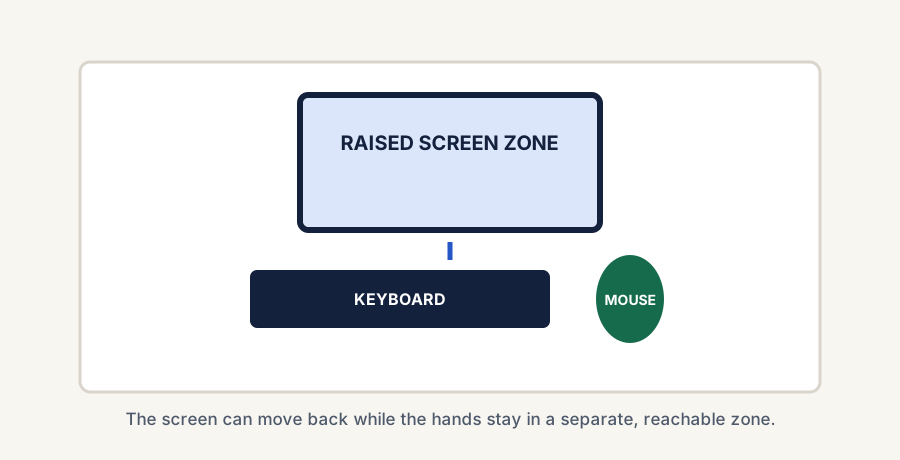
Top-down layout showing a raised laptop behind a separate keyboard and mouse.
A raised laptop normally works best when the screen and hand zones can be separated.

The short answer

Comparison and planning details for Do You Need a Keyboard with a Laptop Stand?
SetupUsually best forMain tradeoff
Laptop stand onlyShort sessions or lighter travel useCan become awkward if the screen is raised too high
Laptop stand plus external keyboardLonger desk sessions and better postureTakes more desk space and adds another device
When the keyboard really helps

Signs you probably do need one

The stand raises the screen a lot

If the laptop is high enough to improve neck position, the built-in keyboard may no longer sit at a comfortable typing angle.

You work long sessions at one desk

The longer you type, the more noticeable an awkward arm and wrist position becomes.

You want the real posture benefit

Many of the biggest gains from a laptop stand happen only when the typing position is separated from the raised screen.

When you can stay simpler

When a stand-only setup may be fine

You use the stand only briefly

For quick sessions, a modest lift without an extra keyboard can still be useful.

You need a lighter travel setup

If the main goal is portability, carrying only the stand may be the better tradeoff.

The stand keeps the keyboard usable

Some lower-profile stand positions preserve enough typing comfort that a separate keyboard is less urgent.

How desk size changes the answer

A simple decision rule

Use a keyboard with the stand if

You work longer hours at that setup

If the stand is part of a real daily desk and not just an occasional prop, an external keyboard is usually the better long-term answer.

Skip it for now if

You only need short, light sessions

If the stand is mainly for brief work or occasional travel use, you may not need to complicate the setup yet.

Go compact if

You want both comfort and portability

A smaller keyboard can give a laptop-stand setup better posture without turning the desk into a full workstation.

Best next reads

Use these pages after this decision

Final takeaway

You do not always need an external keyboard with a laptop stand, but many remote workers eventually benefit from one once the stand becomes part of a real daily desk setup. The more you raise the screen and the longer you work there, the more likely a separate keyboard becomes the smarter move.

Related reads
Some links on this page may be affiliate links. See the affiliate disclosure and use the contact page for corrections or business inquiries.
Sources and verification

Primary references

Authoritative guidance supporting the external-keyboard recommendation for prolonged laptop use. These are non-affiliate references; current product details should still be checked before purchase.