Reduces graininess
More usable light lets the camera lower noise and produce a cleaner image.
If your video calls look dim, grainy, or unflattering, the first fix is usually not buying a better webcam. It is improving the light hitting your face. Better lighting can make average cameras look much better, while bad lighting can make expensive cameras look mediocre.
For most home offices, good call lighting is about direction, consistency, and glare control. You do not need a studio setup. You just need enough soft light in the right place.
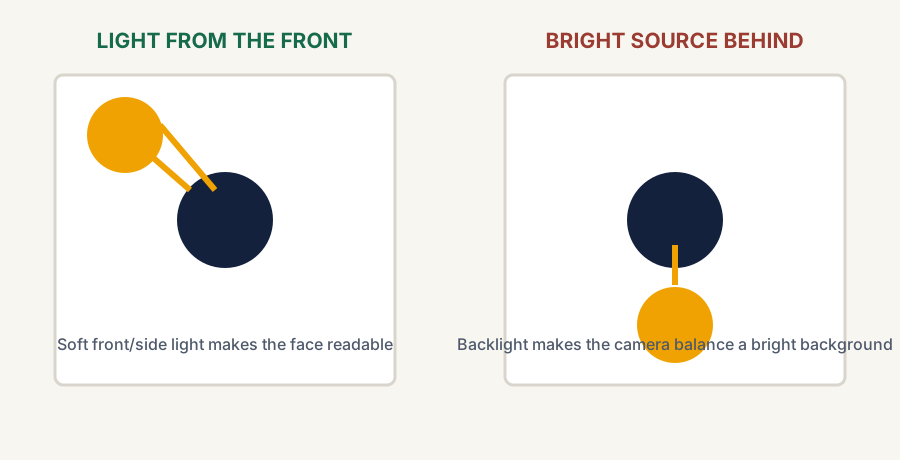
Start with a window or lamp in front of you, or slightly to one side. Keep the brightest light out of the background, then move the source until it lights your face without putting glare on the monitor. A dedicated ring light is optional, not a mandatory desk tax.
The simplest improvement is facing a window or a soft light source instead of sitting with a bright window behind you. Backlighting makes your camera work harder and often leaves your face darker than the background.
If natural light is inconsistent or unavailable, a desk lamp or simple video light placed slightly in front of you and off to one side usually helps more than overhead room lighting alone.
More usable light lets the camera lower noise and produce a cleaner image.
Better face lighting makes expressions easier to read and helps you look more present on calls.
A well-lit face usually matters more than an expensive background.
Softer front or angled light is easier on the image than a single overhead source.
| Check | What to do | Why it matters |
|---|---|---|
| Background brightness | Avoid bright windows or lamps directly behind you | Prevents silhouette-style exposure problems |
| Face lighting | Place light in front of you or slightly off-angle | Keeps your face visible and more evenly lit |
| Light softness | Prefer diffused or indirect light when possible | Harsh light creates distracting shadows and glare |
| Monitor glare | Adjust lamp position so it does not reflect into the screen | Makes calls and work more comfortable |
| Consistency | Use a setup that still works when daylight changes | Keeps your call quality stable throughout the day |
If your calls are frequent, a slim desk lamp, monitor-mounted light, or simple LED video light can be worth it. Choose the category based on the constraint: use a desk lamp when you also need task light, a monitor-mounted light when desk space is tight, and a small video light when consistent face lighting matters more than room lighting. If you have decided on a dedicated light and are choosing between the two most common formats, our ring light vs key light comparison walks through light quality, mounting, and when each one wins. But first test whether a layout change, better lamp position, or more consistent ambient light solves the problem. If you are lighting for streams rather than calls — hours on camera every session — our desk setup for streamers guide covers key-light placement in that context.
For many remote workers, lighting improvements make more difference than upgrading from one decent webcam to another.
Good call lighting is mostly about giving the camera enough soft front-facing light and avoiding bright distractions behind you. If you fix that first, your video setup often looks better immediately without turning the desk into a mini studio.
Authoritative workplace-lighting guidance supporting glare and light-direction recommendations. These are non-affiliate references; current product details should still be checked before purchase.